The BC–Dataverse Integrator relies on precise technical mappings between Microsoft Dynamics 365 Business Central and Dataverse. These mappings use:
- Logical names for Dataverse entities and fields
- Table names, field names, and field IDs for Business Central
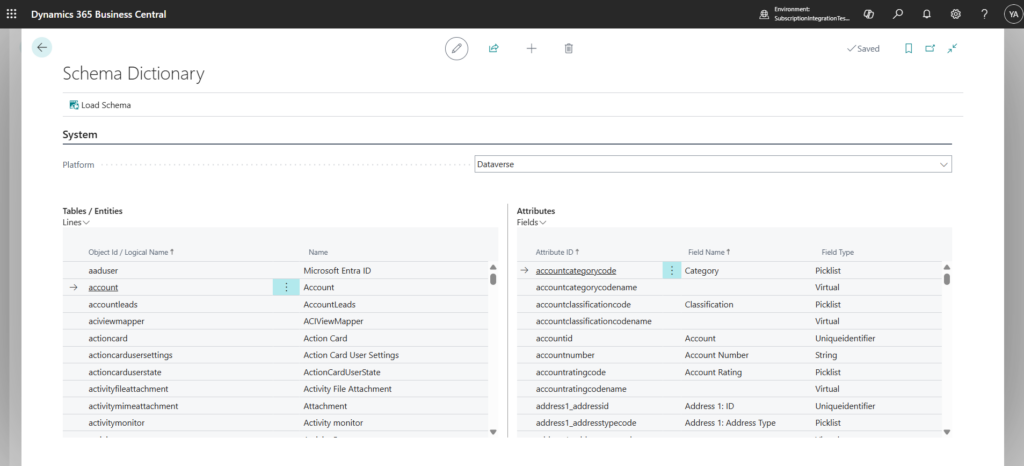
Because this technical schema information is not always readily known or easily accessible to functional users, the integrator includes a built-in Schema Dictionary.
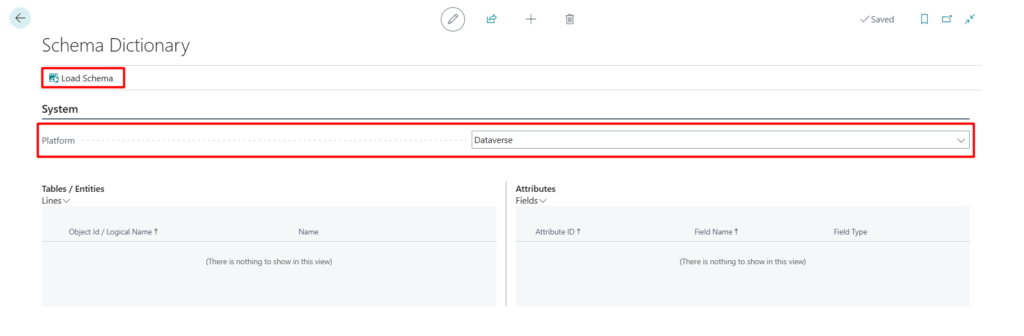
The Schema Dictionary is a dedicated screen that allows users to switch between Business Central and Dataverse and explore the underlying schema of the selected system. It provides visibility into entities, tables, and fields — including the technical identifiers required to configure accurate mappings.
This guide explains how to use the Schema Dictionary to retrieve the necessary schema information and confidently configure integration mappings between Business Central and Dataverse.
Access and use the schema dictionary
- Navigate to the Integration Foundation Setup page
- Click on Schema Dictionary under the Mappings menu tab

- Select for which platform to load the schema
- Click on Load Schema