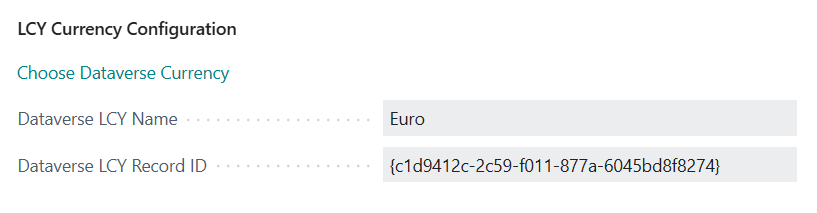
Business Central and Dataverse handle currencies differently, particularly when defining the local currency (LCY).
- In Business Central, a blank currency field indicates that the local currency (LCY) is being used.
- In Dataverse, currency fields must always be populated, even when using the environment’s default currency.
Because of this difference, you must define which Dataverse currency record represents the LCY when synchronizing data between the two systems.
This configuration ensures consistent handling of local currency values during data exchange between Business Central and Dataverse.
Synchronization Behavior
Once configured:
- If a currency field is blank in Business Central, the mapped Dataverse LCY record is sent to Dataverse.
- If a currency field in Dataverse contains the configured LCY record, the corresponding field in Business Central will remain blank.
Configuring the Dataverse LCY Record
Follow these steps to identify the Dataverse currency record that represents LCY:
- Navigate to Integration Foundation Setup.
- In the Other Setup FastTab, select Choose Dataverse Currency to launch the setup wizard.
- Click Next.
- Locate and select the appropriate Dataverse currency record.
- Click Select Record.
- Click Finish.
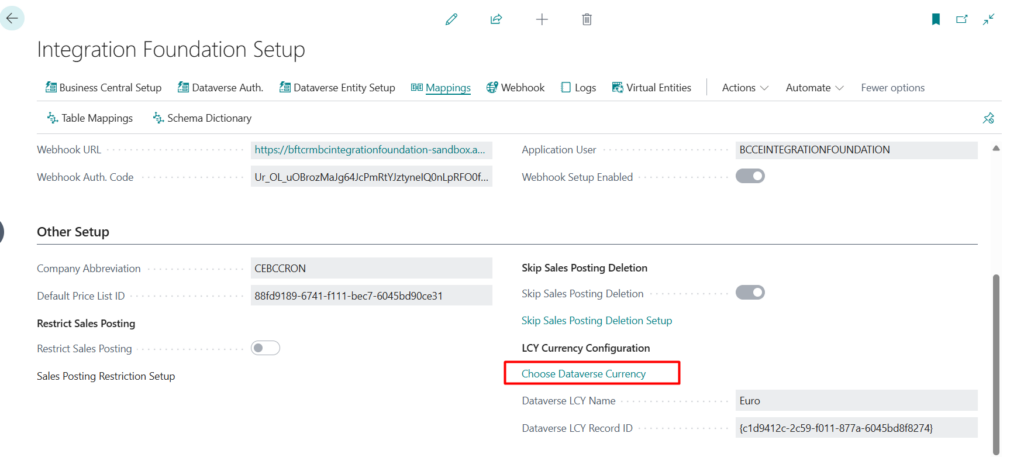
After completing the setup, ensure that the following fields are populated:
- Dataverse LCY Name
- Dataverse LCY Record ID