
Overview
In some jurisdictions it is required by law to ask for customer approval before auto-renewing or prolongating a subscription contract. In this scenario automatic renewal processing is handy as it takes care that each contract renewal is handled automatically without any human intervention required. The approval is done using Microsoft Power Automate flows by sending a renewal confirmation email to the customer.
Deployment
Download the dataverse solution for LISA Business Automatic Renewal Templates.
The dataverse solution should be imported into a Microsoft Dataverse environment on the same tenant as the BC environment where LISA Business is deployed. Upon import you will be prompted to create connections that are required for the solution to work (such as connection to dataverse and the Microsoft Outlook account that will be sending the email) and also a secret token environment variable that should match the token that is configured in the LISA Business parameters within BC.
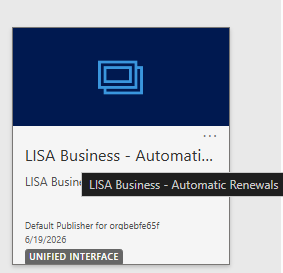
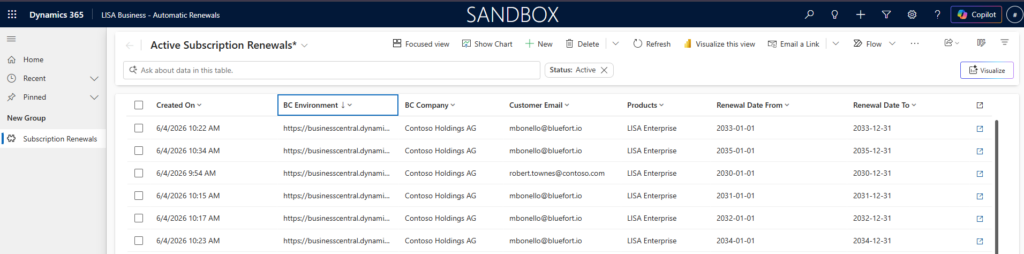
Once imported a model driven app called LISA Business – Automatic Renewals becomes available where one can review the subscription renewal records.
Configuration
In the LISA Business Parameters page there is a section called Renewals API. Configure the fields as follows:
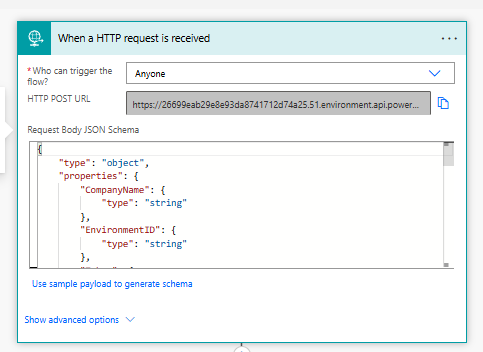
- Renewal Email API URL – The flow URL copied from the flow trigger called HTTP POST URL of the Renewal Record API flow.
- Renewal Process API URL – the flow URL coped from the flow trigger field called HTTP POST URL of the Renewal Process API flow.
- Renewal API Secret Token – this text value must match the secret token environment variable configured when importing the managed solution in an earlier step. If these do not match an HTTP 400 error will be returned.

Contract Pre-requisites
For automatic renewal processing to happen, the subscription plan must be configured to be a contract as opposed to an open-ended subscription. Additionally, the Automatic Renewal and Contract Renewal Notice fields must be switched on and a number entered in the Renewal Notice in Days field.

Functionality
The contract renewal notice date is calculated as the contract end date minus the number of days configured in the Renewal Notice in Days field. When the Subscription Process runs (manually or job queue) on this date, it generates an action of type Renewal Approval. If the Renewal API parameters (described above) have been configured, upon creation of the Renewal Approval action an HTTP request is done to the Renewal Record API flow which creates a Subscription Renewal record in Microsoft Dataverse. Upon creation of this record, another flow is triggered which send an email to the customer asking to confirm or reject contract renewal. If the user clicks on the Approve Renewal button, an HTTP request is done to the Renewal Process API flow which firms the Renewal Approval action.