Overview
LISA provides multiple options to cancel subscriptions. These are:
- Cancel Subscription Plan
- Cancel Subscription Plan Line
- Cancel With Reversal
- Future Cancellation
Business Value
The subscription cancellation capabilities in LISA provide organizations with the operational flexibility and financial control required to manage the full subscription lifecycle in complex, real-world scenarios. By supporting immediate, partial, reversible, and future-dated cancellations, the feature enables businesses to align subscription management with contractual terms, customer agreements, and accounting policies.
From a financial perspective, the Cancel with Reversal option ensures billing accuracy and compliance by allowing previously invoiced periods to be selectively reversed and issued as credit memos, reducing manual corrections and improving auditability. The ability to disable individual subscription plan lines without cancelling the entire plan supports granular service management, enabling businesses to adapt subscriptions to changing customer needs while preserving historical continuity of billing cycles.
Operationally, future cancellation allows organizations to honor notice periods and planned service terminations without disrupting ongoing processing, as cancellations are executed automatically by the Subscription Processor at the appropriate time. Mandatory cancellation reason codes further enhance reporting, analytics, and root-cause analysis, supporting data-driven decision-making around churn and service optimization.
Overall, these capabilities reduce manual intervention, minimize billing errors, improve customer satisfaction through transparent and controlled cancellations, and ensure that subscription operations remain scalable, compliant, and aligned with business policies.
Cancel Subscription Plan
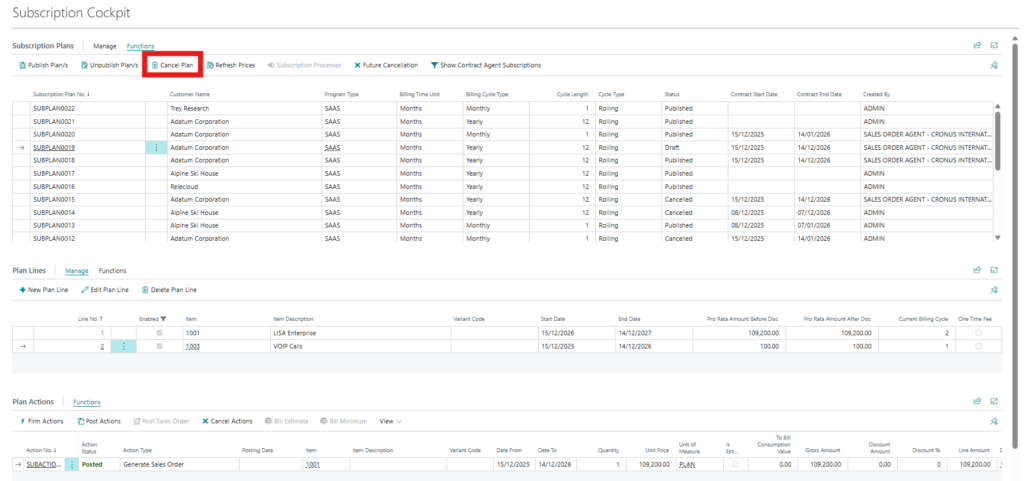
In the Subscriptions Cockpit, from the plan header, the plan can be cancelled using the Cancel button. A subscription plan must be unpublished and thus put into a Draft state before it can be cancelled.
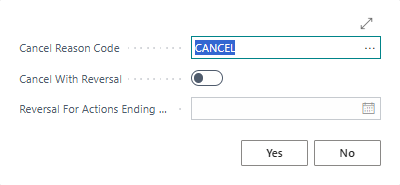
A Cancel Reason Code must be associated with the cancellation. The default one is automatically loaded.
Cancel With Reversal
In the above dialog box, the Cancel With Reversal option is available. When toggles to true one is able to specify which billing actions to reverse. For example if 12 billing cycles were billed in 2024, you can cancel the subscription in January 2025 and reverse the billing for November and December 2024 which will be presented as Credit Memos.
Disable Subscription Plan Line
When a subscription plan is unpublished (draft), it is possible to deactivate a specific subscription plan line from the line level of the Subscriptions Cockpit. When this is the case this specific line will be ignored by the Subscription Processor and no actions will be generated.
Future Cancellation
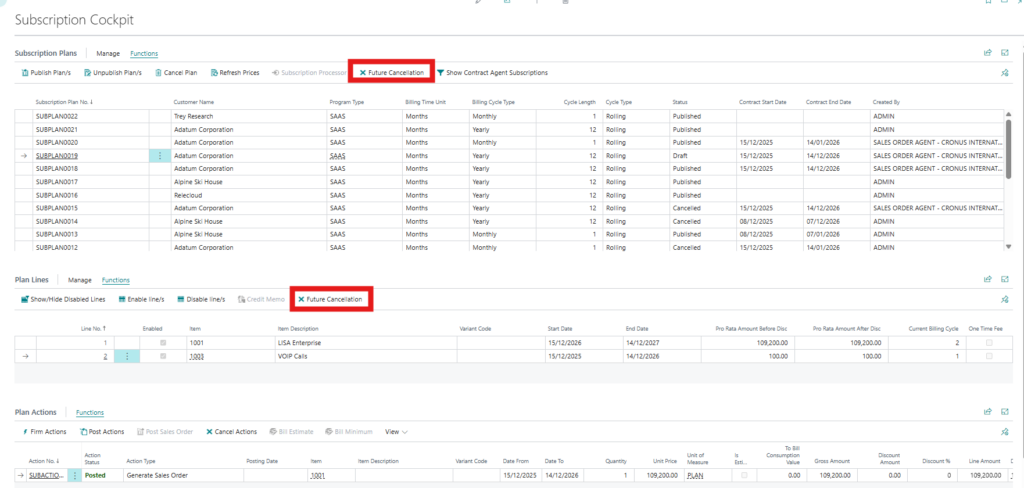
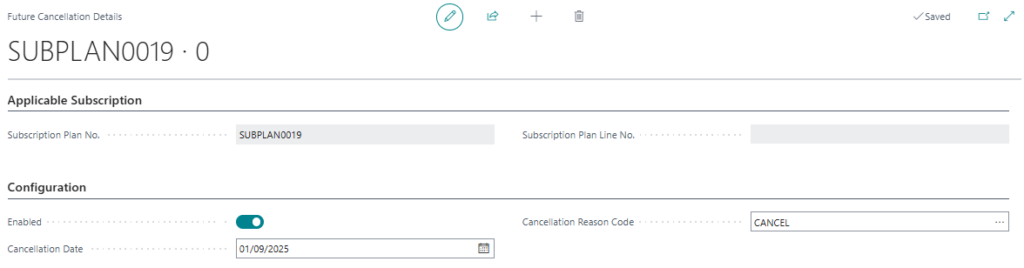
Future cancellation is available from the Subscriptions Cockpit on both the subscription plan header (for all the lines) and also on the line level (for one specific line). As the name implies, this allows you to future-date a cancellation instead of cancelling the subscription immediately. To do this you must specify the Cancellation Reason Code and the Cancellation Date upon which the subscription should be cancelled. The actual cancellation will be handled by the Subscription Processor batch job.