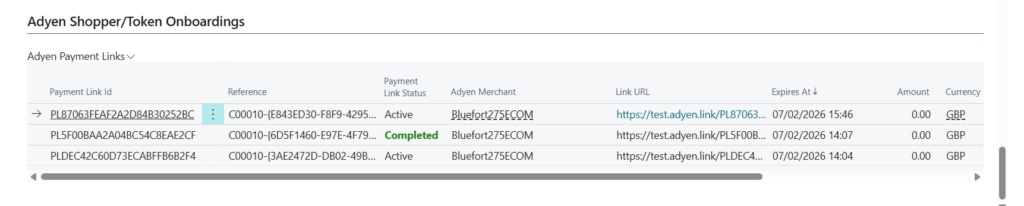
In this article, we explain how to onboard a shopper for your Adyen merchant. Onboarding allows the shopper to store card or SEPA details as a token, which can then be used to process payments.
Step 1: Navigate to the BC Customer you want to onboard.
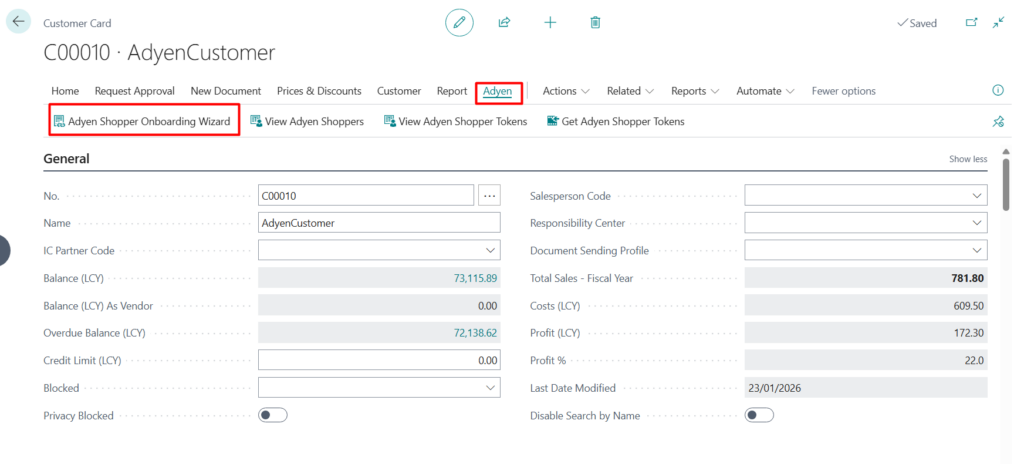
Click on Adyen action tab, then click on Adyen Shopper Onboarding Wizard.
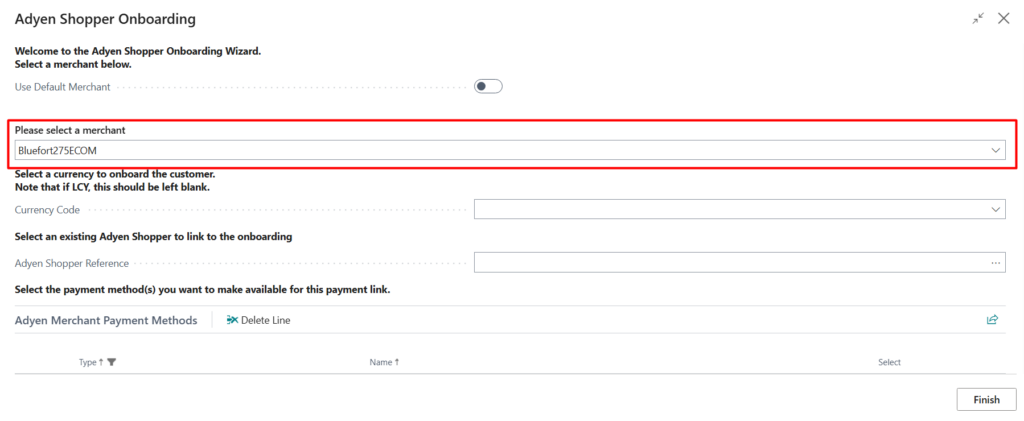
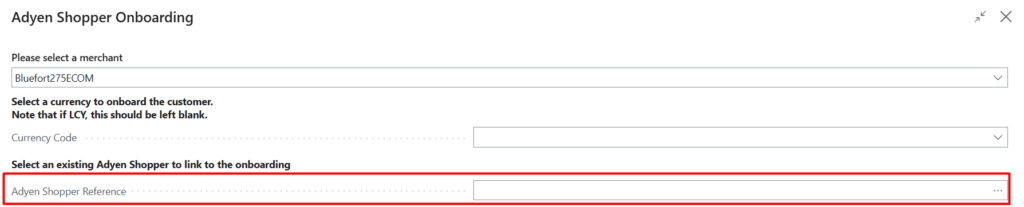
Step 2: Select a merchant from the dropdown
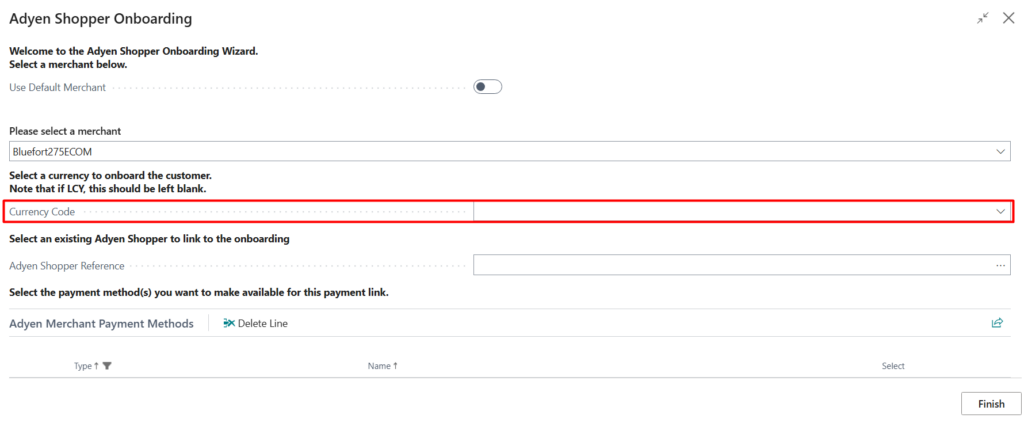
Step 3 (optional): You can select a specific currency code to onboard with.
Step 4 (optional): You can select a previously onboarded Adyen Shopper which is associated with this customer. This option is useful if you wish to onboard another token (payment method) for this customer. If left blank, a new Adyen Shopper will be created.
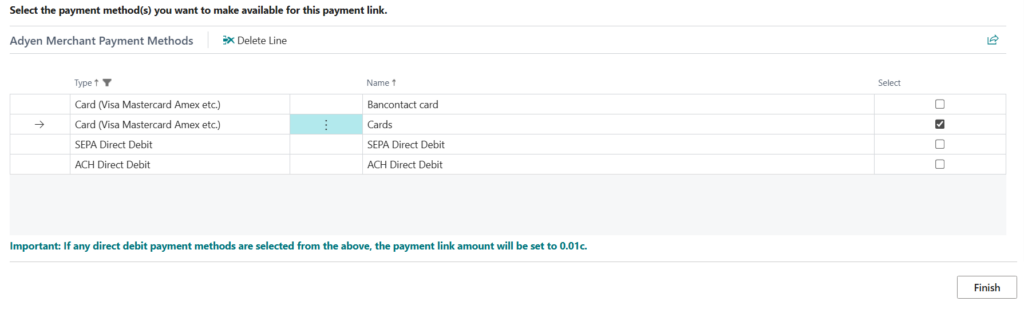
Step 5: Select payment method/s that you wish to make available on the onboarding link. You can also select multiple.
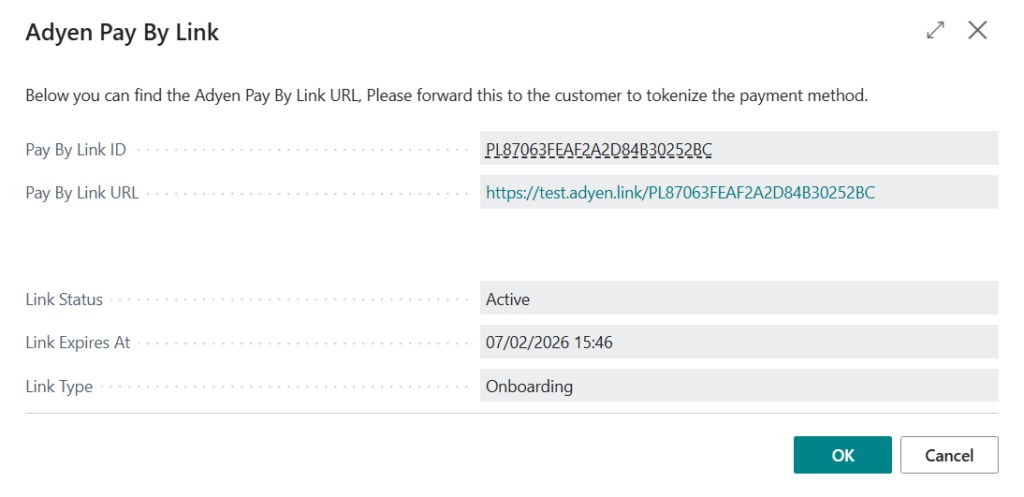
Step 6: Upon clicking finish, a dialog box will show the payment link details
To view open onboardings, you can navigate to the BC Customer Card and scroll to the bottom, you should see a tab named Adyen Shopper/Token Onboardings