
Introduction
This article explains how Payments can be generated via Sales Documents with the preferred provider.
Setup Requirements per provider
- Stripe Payment Provider – Onboard at least one Stripe account to the company before selecting Stripe on Sales Orders / Sales Invoices.
- GoCardless Payment Provider – Onboard at least one GoCardless merchant before selecting GoCardless on Sales Orders / Sales Invoices.
Sales Orders and Sales Invoices
On a sales order or sales invoice, find Payment Provider in the General area. The choice controls which gateway options are enabled:
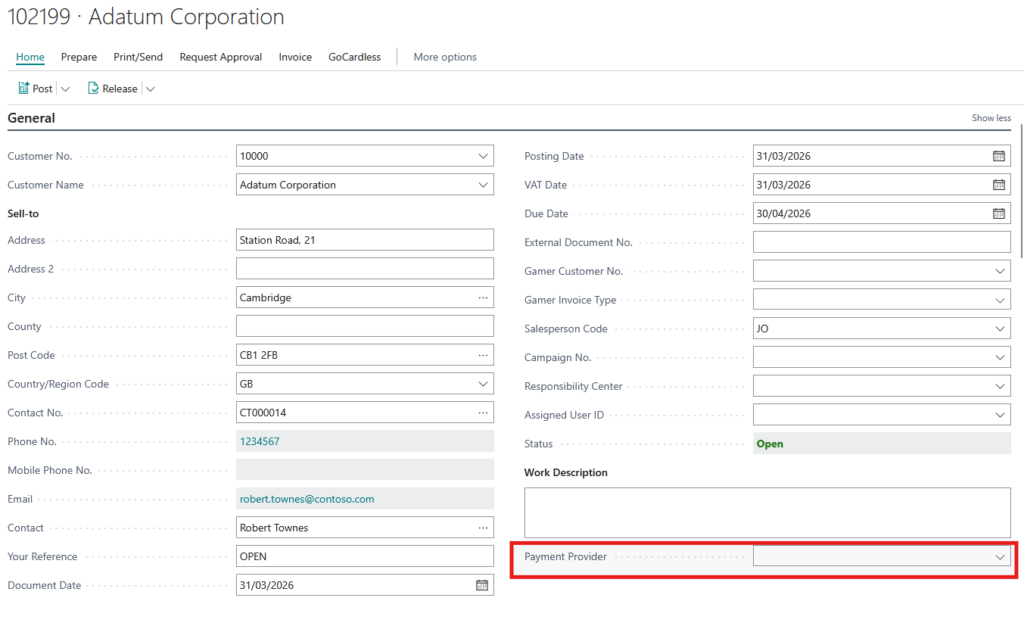
- Stripe enables the Stripe controls, including the payment and one-time payment options and the Stripe account/customer/payment-method fields provided by the Stripe integration. Selecting Stripe also turns on the Stripe payment option by default.
- GoCardless enables the GoCardless Instant Bank Pay and Direct Debit options.
- Blank leaves both providers unselected. For normal sales documents, choose a provider before enabling payment processing; posting is blocked if payment options are enabled while the provider is blank.
The provider-specific controls are mutually exclusive. Changing the provider clears the other provider’s payment and refund flags; changing to Stripe also clears GoCardless settings, and changing to GoCardless clears Stripe settings such as its selected account and linked customer/payment method. Choose the provider before completing its gateway fields and review those fields again after changing providers. Posting is also blocked if a document has payment or refund options enabled for a provider that does not match Payment Provider.