
A One Time Payment, as offered by Stripe can be generated via Stripe for Dynamics 365 Business Central – TAPP.
This article explains how One Time Payments can be generated.
Creating a Stripe One Time Payment
One Time Payments generate a URL that is to be shared with the customer to pay the requested amount.
Below are the steps to follow to generate One Time Payments via Stripe for Dynamics 365 Business Central – TAPP.
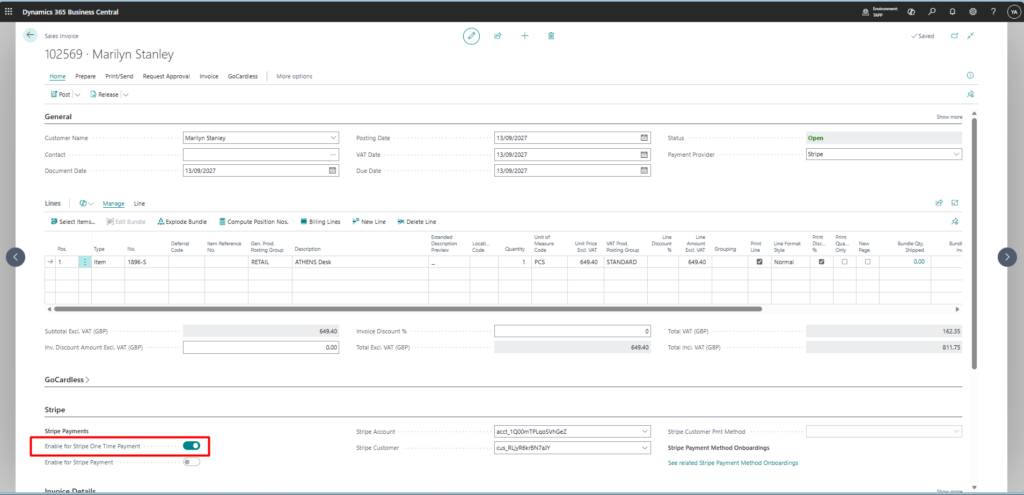
- Create a Sales Invoice as per standard Business Central for an already onboarded Stripe Customer
- Switch on Enable for Stripe One Time Payment
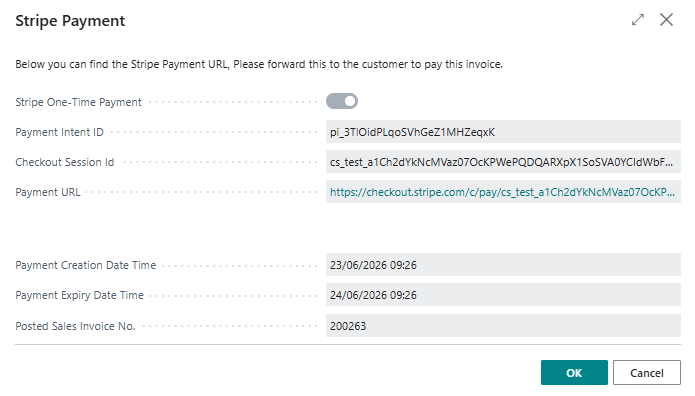
- Post the Sales Document as per standard Business Central. If posting is successful and the payment link is successfully generated, the related information is returned.
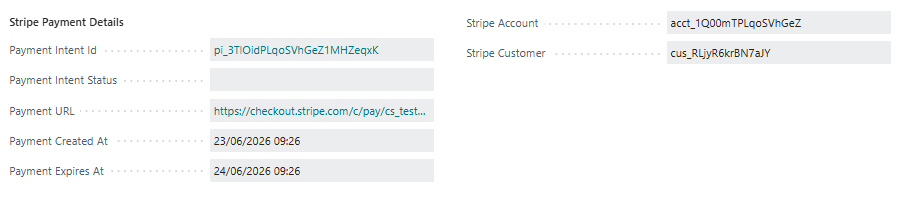
The one time payment information is carried over to the Posted Sales Invoice for future reference.
Simulating the One Time Payment processing
To simulate the process, the link can be used to mimic the customer entering their information, and the related payment intent can then be refreshed directly from the invoice to reflect the updated status by clicking ‘Refresh Payment Intent Status’ within the Stripe menu.
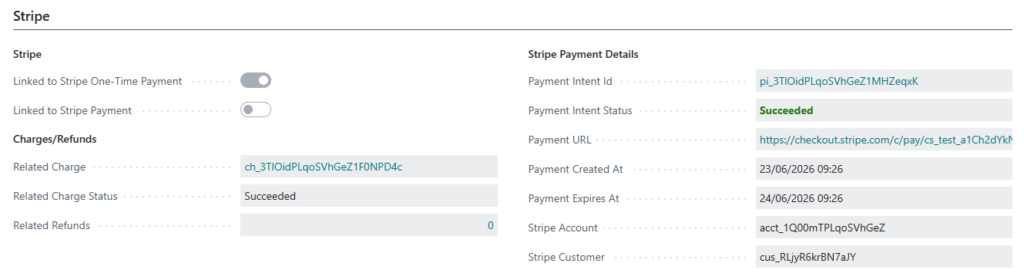
Notice how now, also a charge has been linked to the Posted Sales Invoice.