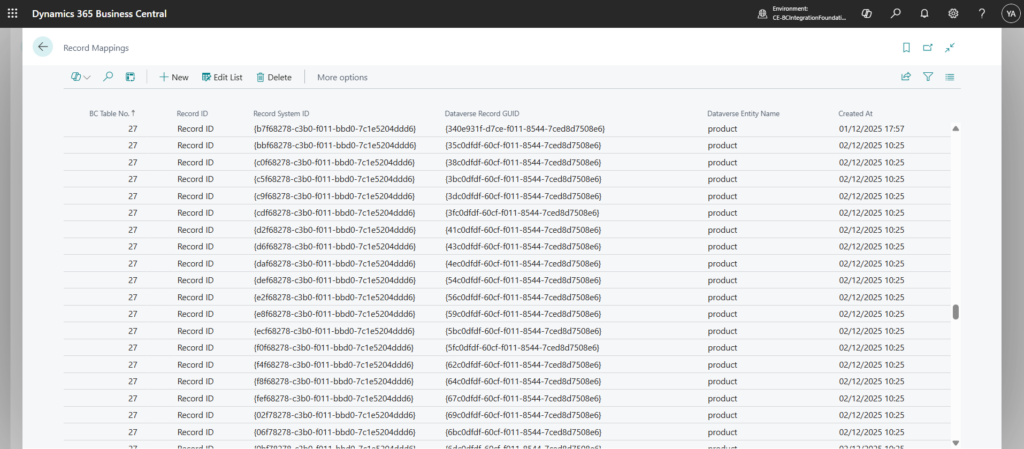
The BC–Dataverse Integrator maintains a structured record of all synchronized data between Business Central and Dataverse. For every mapped entity, the integrator stores a link that identifies which Business Central record corresponds to which Dataverse record.
These record mappings are stored in both systems to support traceability and operational visibility. However, Business Central acts as the source of truth for the mapping relationship.
During each synchronization process, the integrator references the record mappings entity to determine whether a record already exists in the destination system. Based on this evaluation, the integration engine decides whether to:
- Create a new record, or
- Update an existing one
This mapping mechanism ensures data consistency, prevents duplicate records, and enables reliable bi-directional synchronization between Business Central and Dataverse.
See Record Mappings
- Navigate to the Integration Foundation Setup page
- Under the Logs menu tab, click on Record Mappings