Bluefort provides two standard RapidStart configuration packages to help you configure LISA Business and start using it in a short period of time. These are bundled in a ZIP file which can be downloaded from the link below.
The ZIP file contains two RapidStart files:
- PackageLISA BUSINESS BASE.rapidstart – contains base configuration for LISA Business
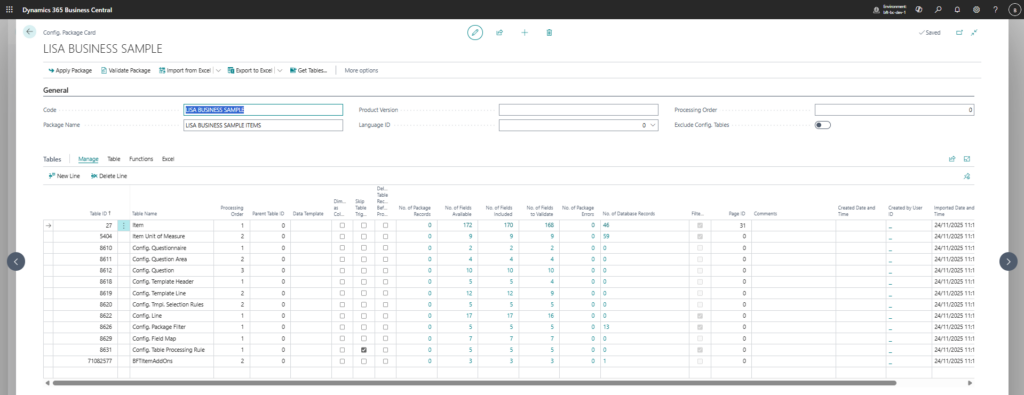
- PackageLISA BUSINESS SAMPLE.rapidstart – contains 3 sample subscription items, including a one time fee and an add-on.
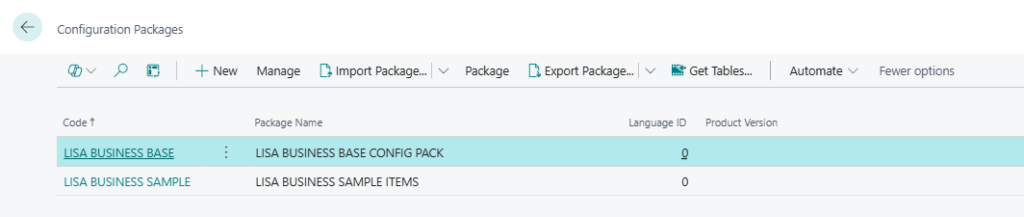
First the BASE rapidstart file should be imported and applied and after that the SAMPLE rapidstart file should be imported and applied. You might need to apply the package the SAMPLE file package twice, if an error is encountered on the first run of the “Apply Package” process. For more information on how to apply RapidStart configuration packages please refer to this article on Microsoft Learn.
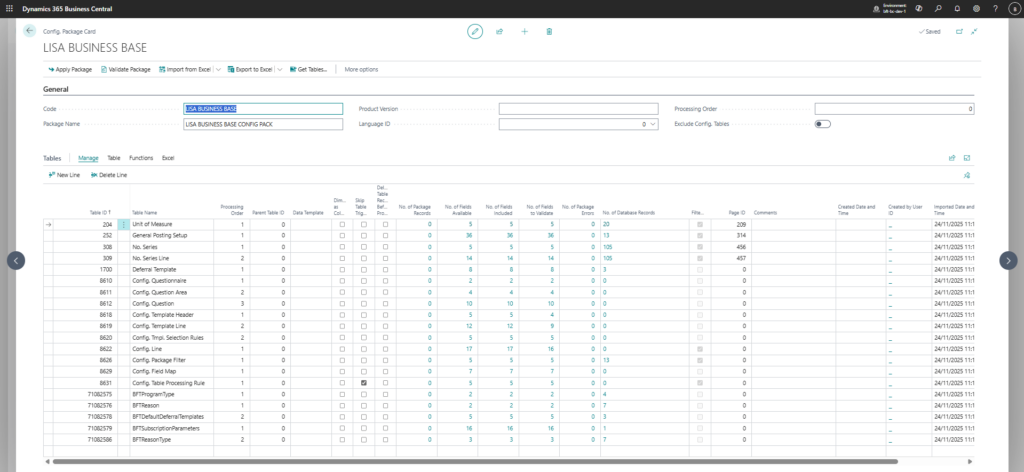
The screenshot below shows the tables which are part of the BASE rapidsart file.
The screenshot below shows the tables which are part of the SAMPLE rapidsart file.