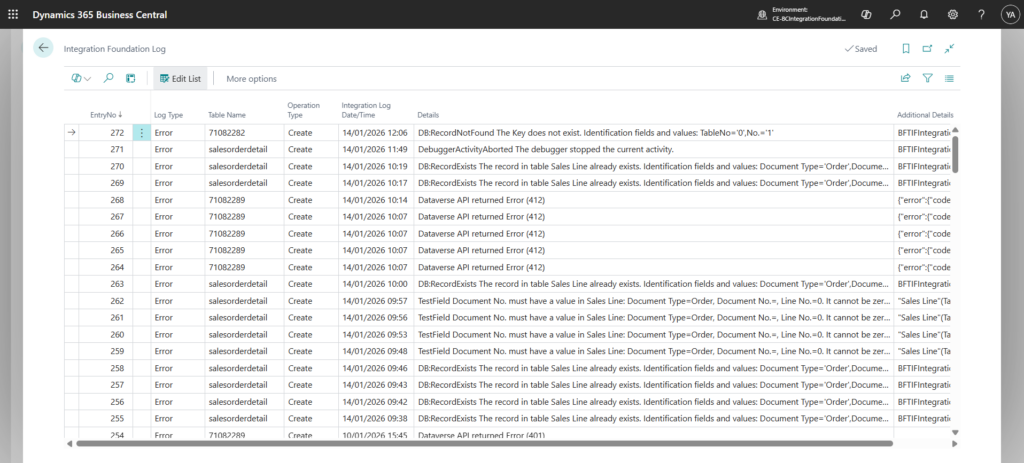
The BC–Dataverse Integrator includes a built-in logging mechanism designed to provide visibility into synchronization issues and support efficient troubleshooting.
Whenever an error occurs during integration, the system creates a log entry capturing detailed diagnostic information. Each log record includes:
- The date and time the issue occurred
- The affected table or entity
- The operation type (Create, Read, Update, Delete)
- The error message returned by either Dataverse or Business Central
- The associated call stack for technical analysis
This structured logging ensures transparency into integration failures and helps both functional users and technical consultants quickly identify root causes and take corrective action.
See Integration Logs
- Navigate to the Integration Foundation Setup page
- Under the Logs menu tab, click on Integration Logs