Introduction
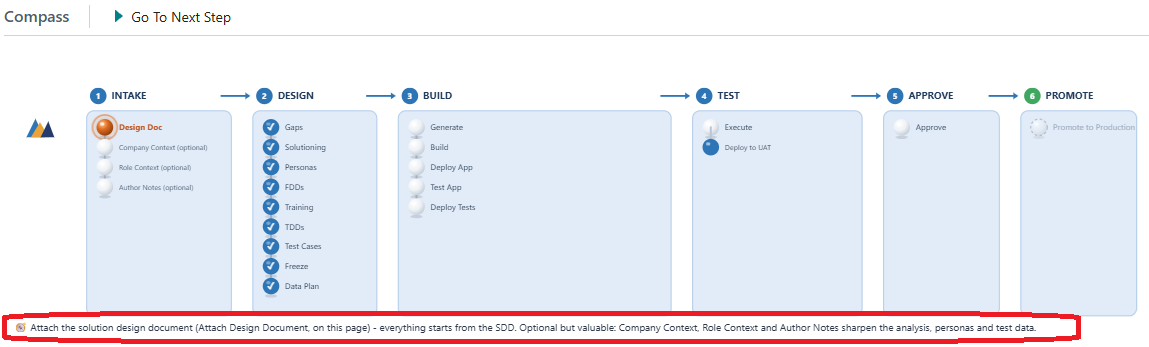
The Compass runs across the top of every project and it is the mental model for the whole product. Once you can read it, you always know where a project has reached, what has been completed and what you are being asked to do next. This article explains how to read it.
How a project moves through the Compass
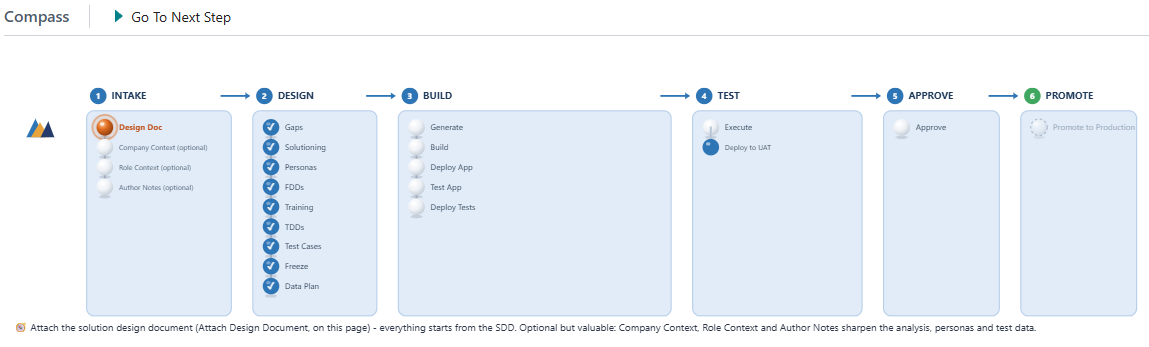
A project moves from left to right through the stages. Each stage contains named steps, so the Compass shows both the broad shape of the journey and the detail of where you are within it. Nothing jumps ahead: work reaches a stage only once the stages before it are satisfied.
As work is completed, the steps fill in, and the step you are currently on is highlighted. That gives you the whole position at a glance, without opening records or reading through history.
Go To Next Step
Go To Next Step takes you to the next required action. If you are ever unsure what to do with a project, this is the safest thing to choose, because it moves you to the action the project is actually waiting for.
The guidance line
Underneath the Compass there is a guidance line that tells you, what to do now. Read it before you do anything else on a project you have not opened for a while. Between the highlighted step, the guidance line and Go To Next Step, the project itself tells you what it needs, so you rarely have to work it out from first principles.