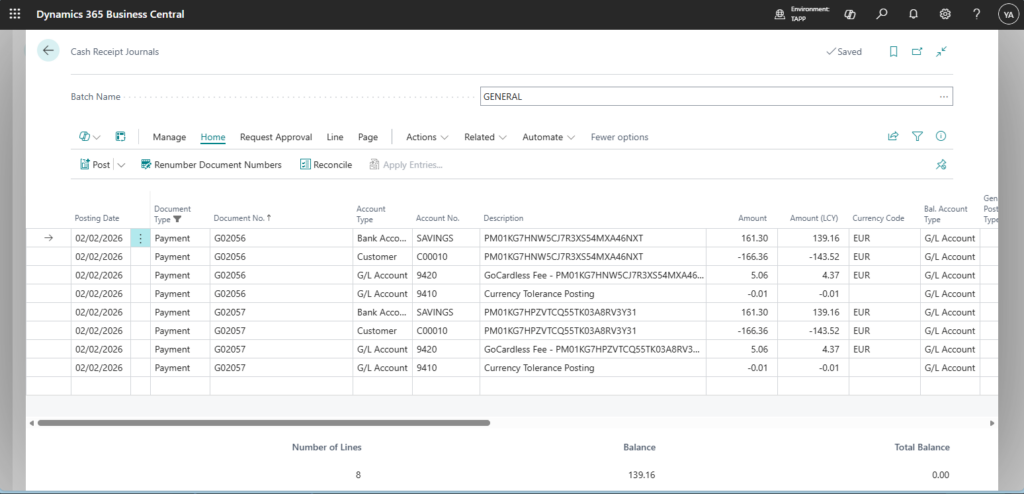
When payouts are received in a foreign currency (FCY), GoCardless for Microsoft Dynamics 365 Business Central – TAPP can be enabled to create currency tolerance lines in the Cash Receipt Journal to ensure the journal balances.
Enable Tolerance Posting
- Navigate to the GoCardless Parameters page
- Switch on the Currency Tolerance Balancing parameter
- Fill in the Currency Tolerance Account
Payout Processing
Payout processing remains unchanged and no additional action is required. For payouts in FCY, a currency tolerance line is added in the journal for each payment processed, if needed.